Setting up background tracking
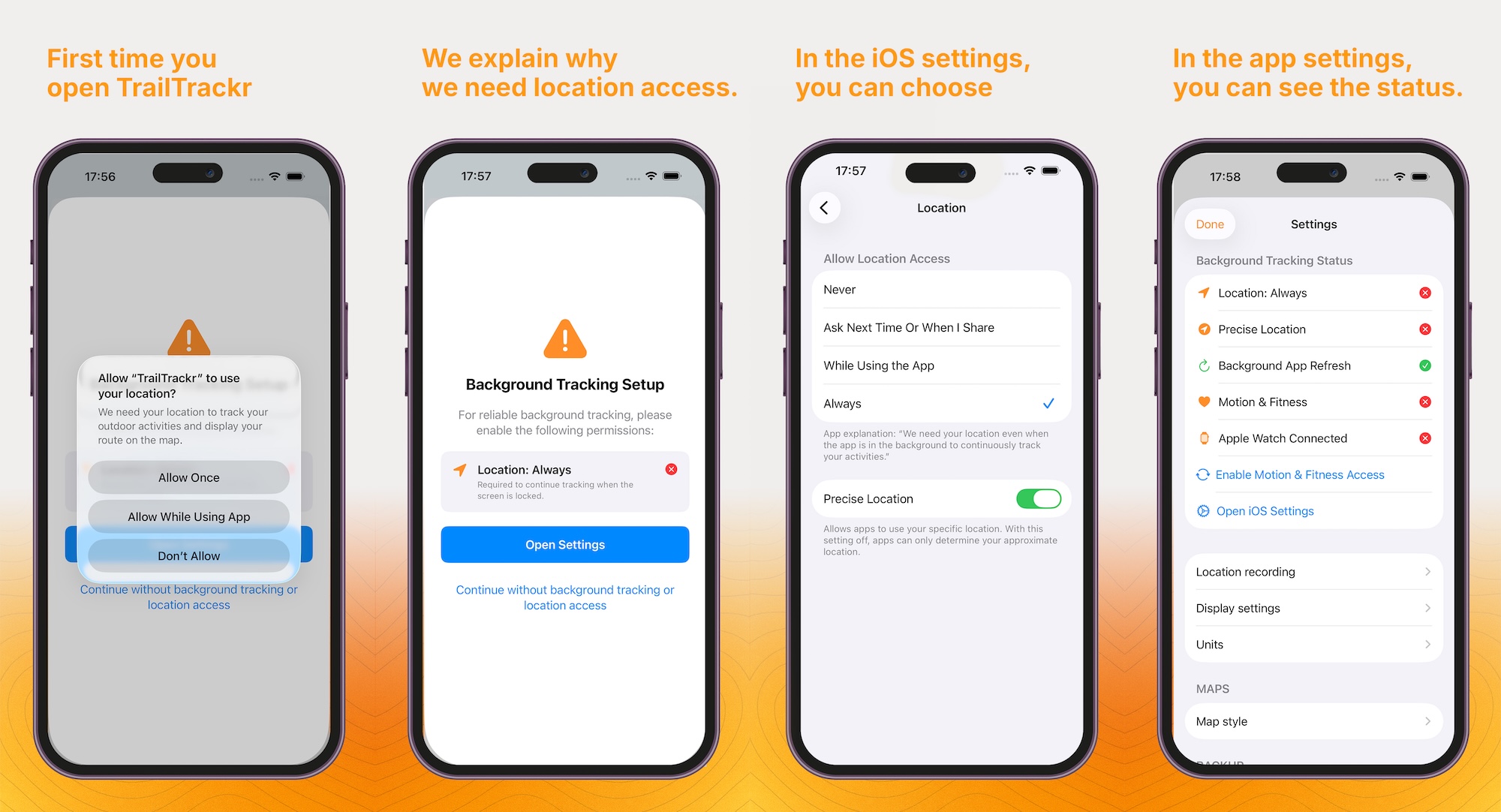
TrailTrackr needs background location access to keep recording when your screen turns off or you lock your phone. Here is how the setup works from start to finish.
1. First launch
When you open TrailTrackr for the first time, iOS asks whether to allow location access.
2. Why we need it
If background access is not yet enabled, the app explains what is needed and opens iOS Settings for you.
3. Choose "Always"
In iOS Settings, set location access to Always and keep precise location turned on.
4. Check the status
In the app's Settings tab you can see at a glance whether all permissions are active.